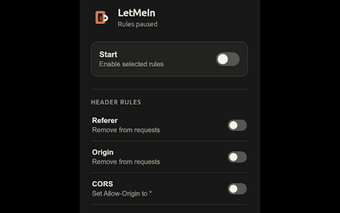
Compact Chrome extension for targeted HTTP header testing
LetMeIn by nakamurayuji is a Chrome extension built to help developers test HTTP request and response header behavior during web transactions. It provides a compact interface for crafting request headers and inspecting server response headers, focusing on direct header analysis rather than full network tracing. Key points include request and response header testing, a developer-oriented UI, and an installation under 15KiB. It targets web developers and testers who need a minimal, privacy-conscious header-testing utility for Chromium-based desktop browsers.
What is LetMeIn used for?
The tool is a focused developer utility for examining how headers behave during requests and responses. It concentrates on header-level analysis rather than on capturing full packet streams or acting as a general network inspector. Typical use cases include verifying custom request headers, checking server-set response headers, and confirming header-driven behavior in API endpoints. The extension is therefore suited to targeted debugging and iterative header tests inside the browser.
How much disk and runtime footprint does it have?
The extension keeps resource impact low by design, with an installation size of approximately 13KiB and a stated lightweight footprint. Because of that small file size, the extension adds negligible disk usage and minimal extension overhead compared with larger debugging suites. Compatibility is limited to Chrome and other Chromium-based desktop browsers, which makes installation and runtime behavior predictable in those environments.
Does the extension limit data collection and tracking?
Privacy is explicit: the developer states the extension does not collect or use any user data. That privacy-conscious design reduces external data sharing related to header tests and eliminates background telemetry tied to the add-on. For developers who need to avoid sending test headers or results to third parties, the absence of data collection is a clear operational property to rely on during ad hoc debugging sessions.
Can the tool fit into a broader developer workflow?
The extension offers a compact, developer-focused interface that makes single-purpose header checks quick to perform, but it does not aim to replace full network analysis tools. Teams that require deep packet inspection, performance metrics, or automated test integration will still need supplemental tooling. The extension works inside Chromium-based browsers, so it slots into a browser-based workflow where quick header verification is the primary requirement.
Suitable specialist tool for developers who accept a narrow scope
The extension is a practical choice for developers seeking a maintained, narrowly focused header-testing utility; the developer provides a contact email and recent updates indicate ongoing upkeep. Expect limited community support because the user base is small, so troubleshooting relies on the developer and hands-on testing rather than extensive online guides.